Departments
Departments group your agents and calls — for example Inbound, Outbound, Sales, or Support. Each department can have its own parameters and category weightage, so every team is scored on what matters for its work. To open it: in the sidebar, under Configuration, click Departments.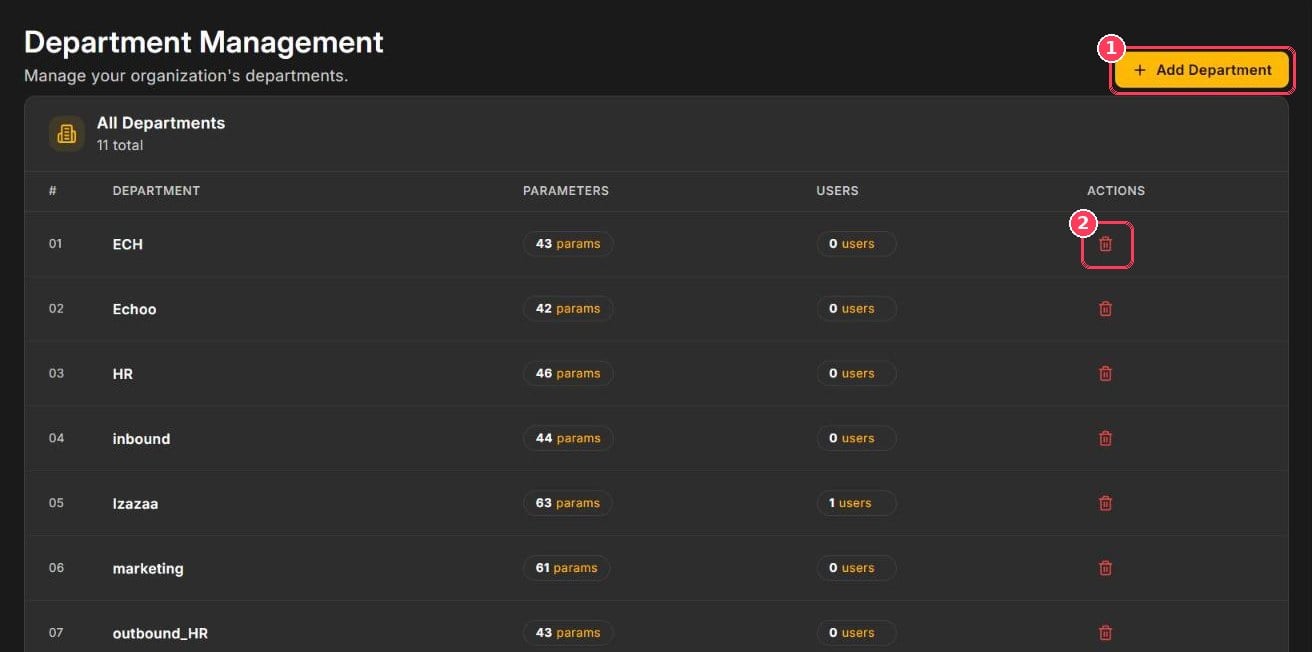
Department Management
The table lists every department with the number of parameters and users assigned to it.
Work codes
Work codes are short labels that summarize what each call was about, such as order delivery issue. They appear on every call report and help you categorize and track call reasons. To open it: in the sidebar, under Configuration, click Work Codes.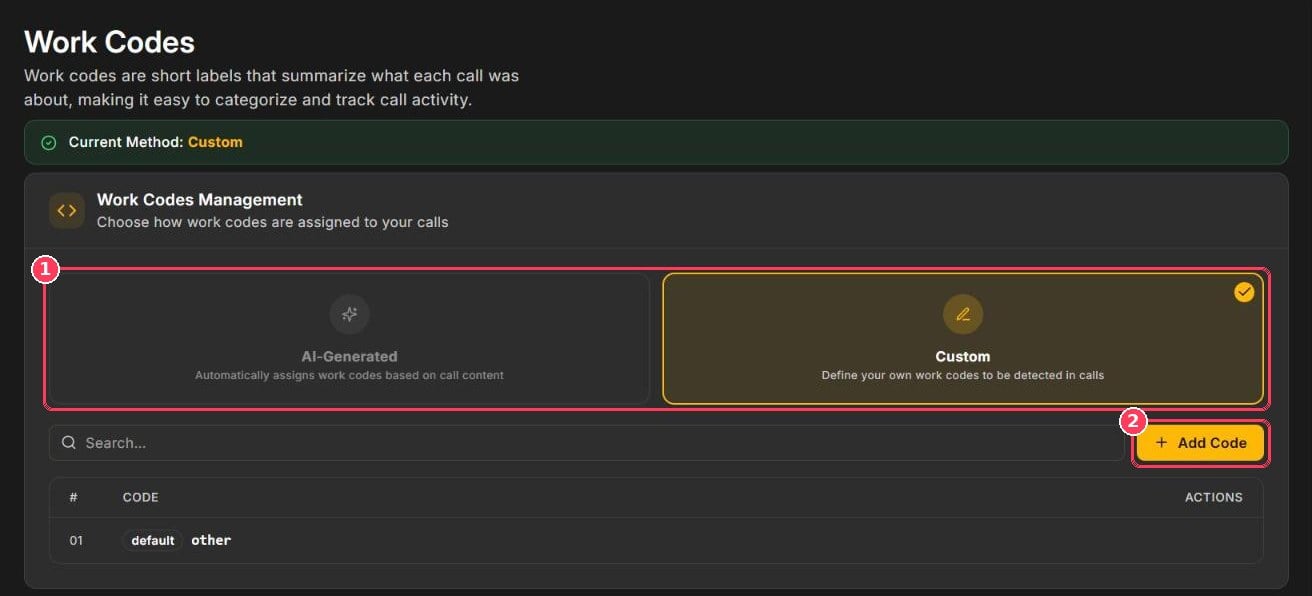
Work Codes Management
Calls that match none of your custom codes receive the default code other. Use the search box to find codes in long lists.
Reviewers can correct a call’s work code in the report’s edit mode. See Call Scoring & Call Reports.
Retention
Retention controls how many days call recordings and transcripts are stored. To open it: in the sidebar, under Configuration, click Retention.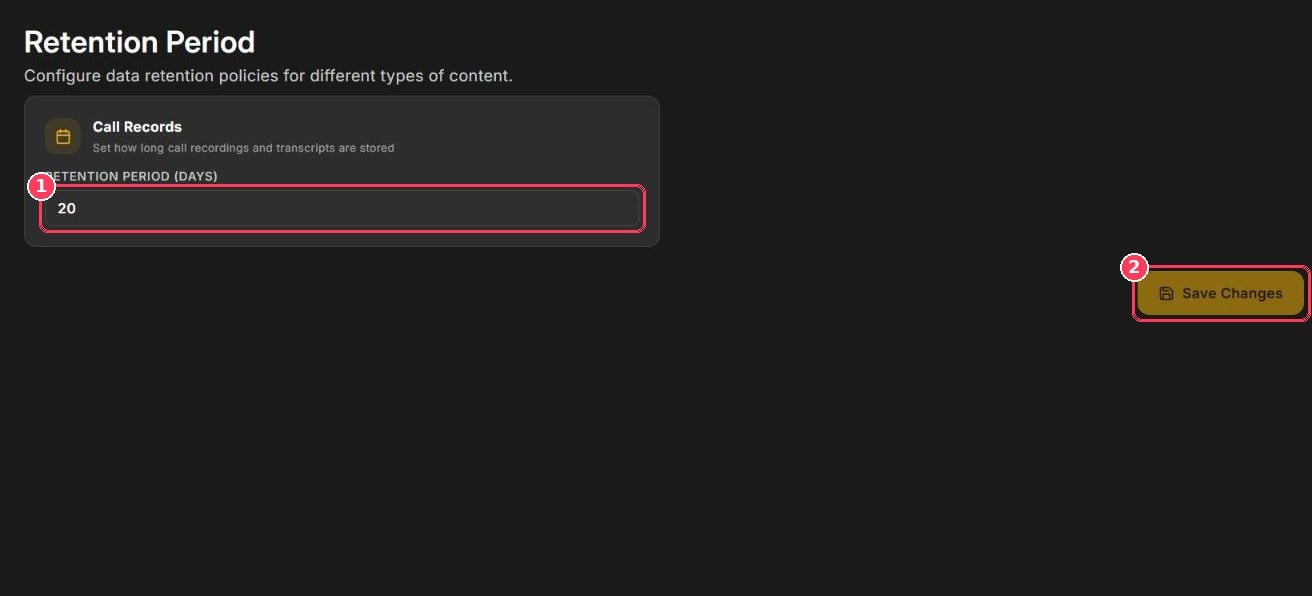
Retention Period
Security
Security Settings protect sensitive data and access to your workspace. To open it: in the sidebar, under Configuration, click Security.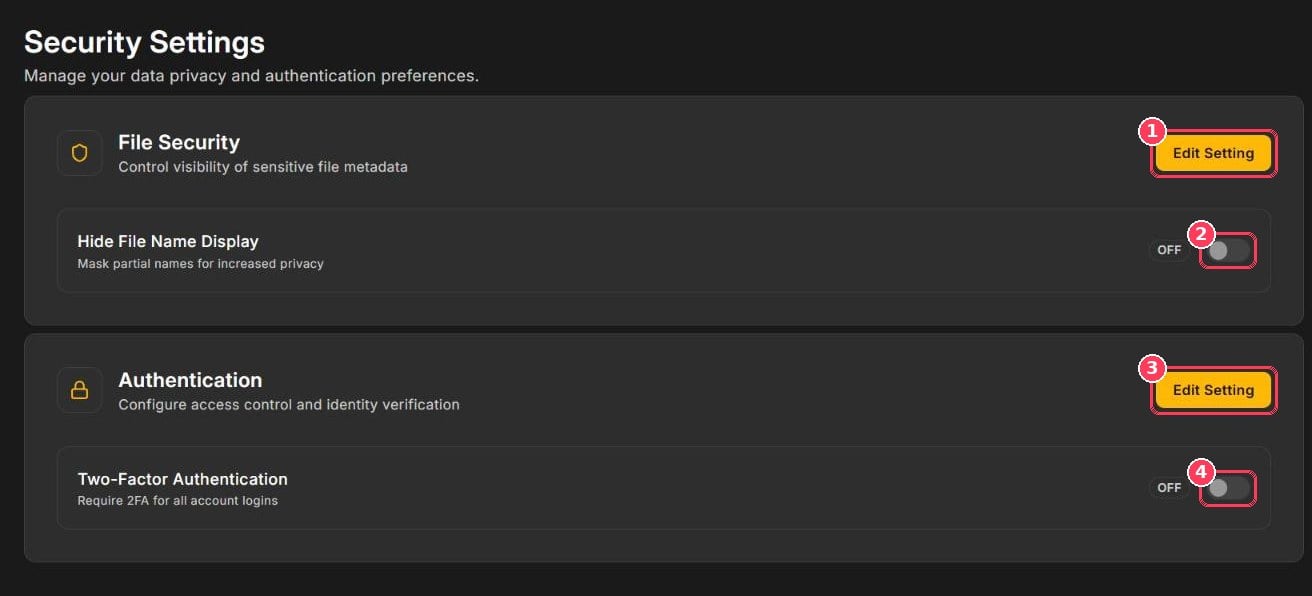
Security Settings