
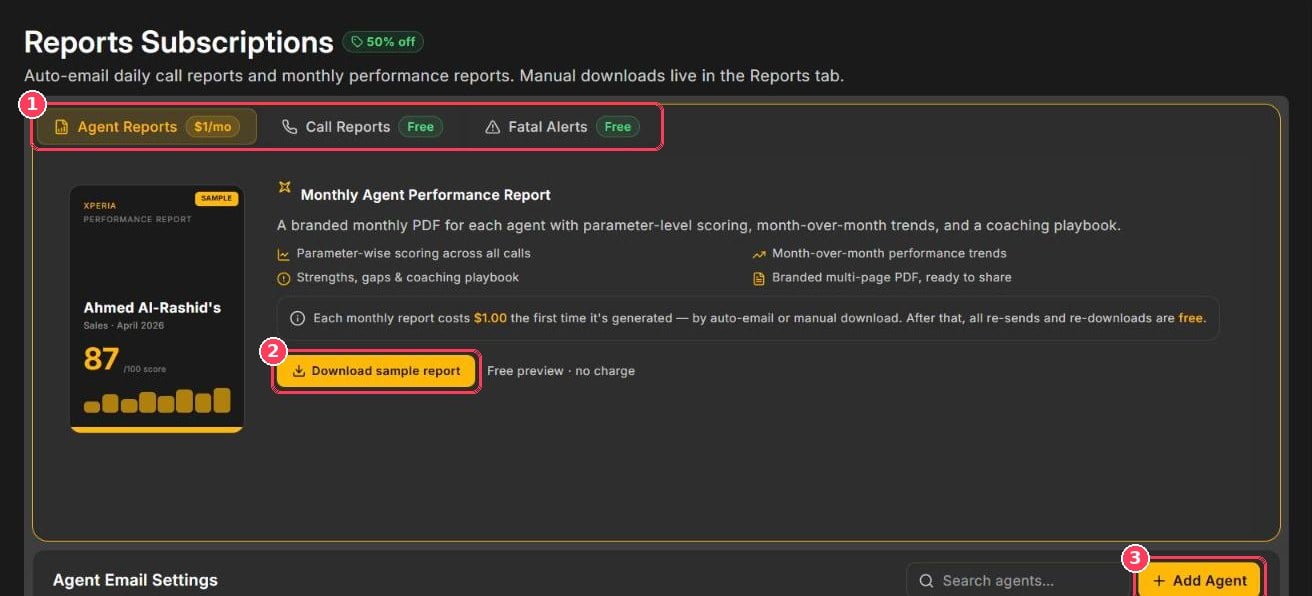
Reports Subscriptions page
Report types
- Agent Reports
- Call Reports
- Fatal Alerts
Monthly Agent Performance Report — a branded multi-page PDF for each agent, including:
- Parameter-wise scoring across all calls
- Month-over-month performance trends
- Strengths, gaps, and a coaching playbook
Agent email settings
The Agent Email Settings table at the bottom of the page controls which agents receive reports and where they’re sent.Add an agent
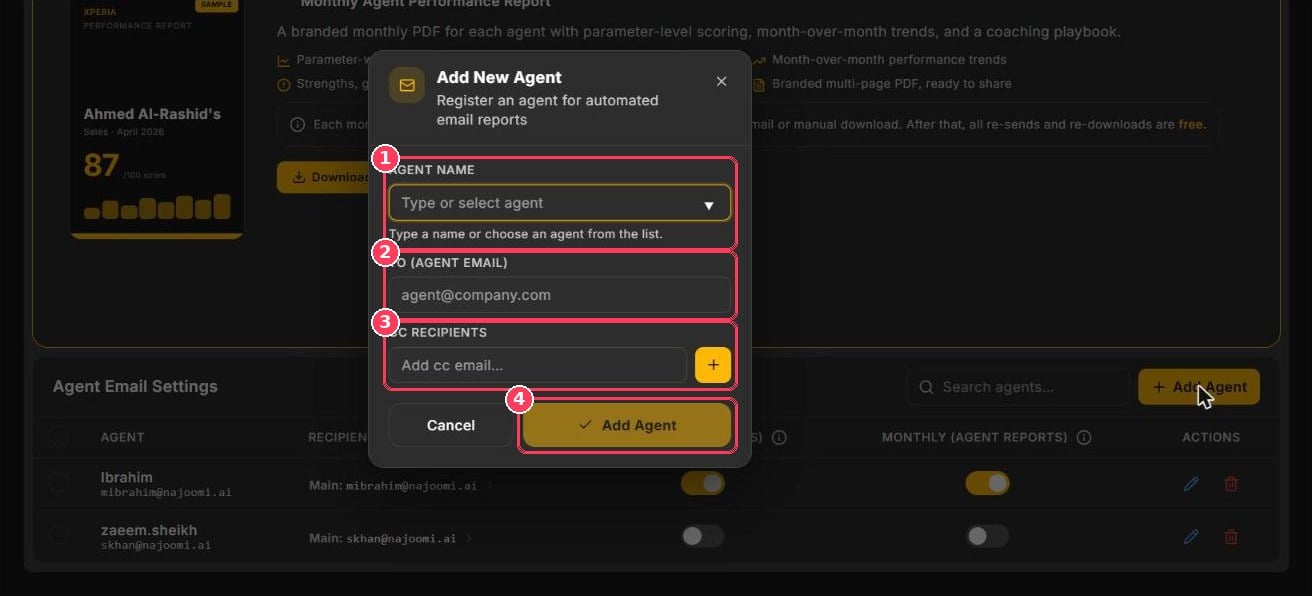
Add New Agent dialog
After adding the agent, use the Daily and Monthly toggles in the table to choose which reports they receive.