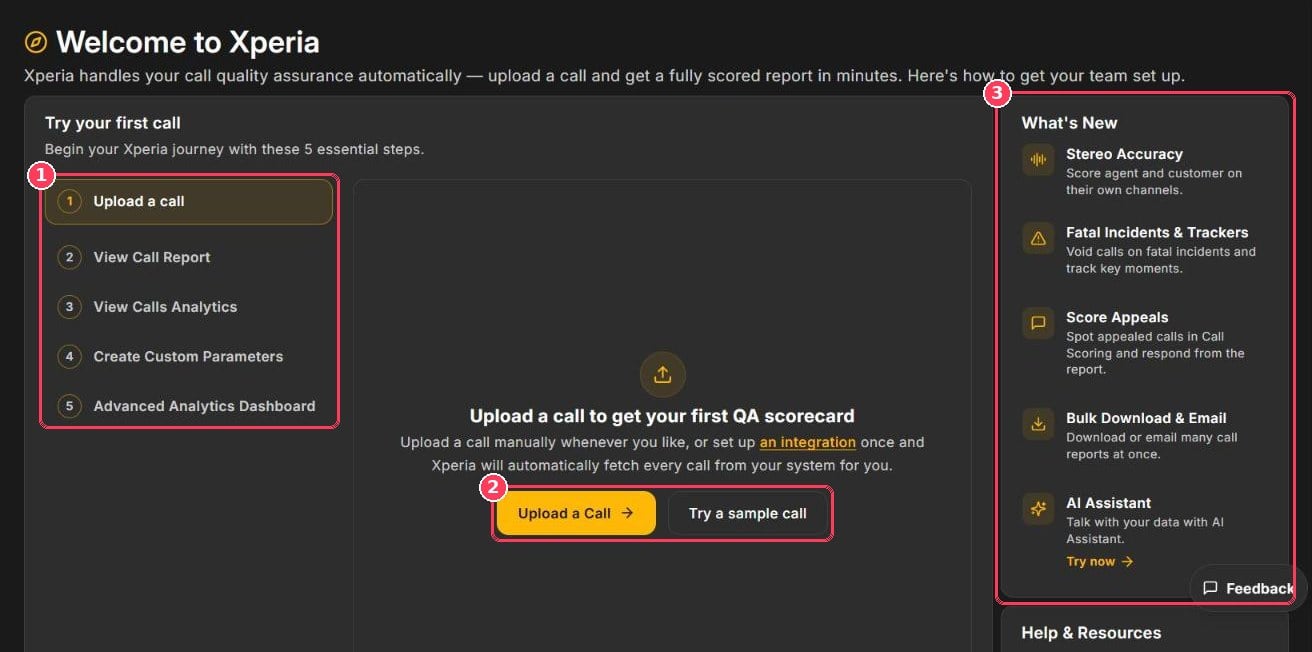
Getting Started page
Further down the page, Help & Resources offers a Guided Tutorial video and Configure your workspace shortcuts to Department Management, Retention Period, Work Codes, Billing, Integrator, Report Mailer, Security, Audio Config, and User Management.
Score your first call
1
Upload a call
Click Upload a Call and follow Upload Calls — or click Try a sample call to use a demo recording.
2
View the call report
Click View Call History to open Call Scoring. Open your call to see its score out of 100, summary, reasoning, and coaching suggestions.
3
View call analytics
Click View Analytics to open the Dashboard and see scores, trends, and agent performance.
4
Create a custom parameter
Teach Xperia to check something specific to your business. See Scoring Parameters.