
Fatal incidents
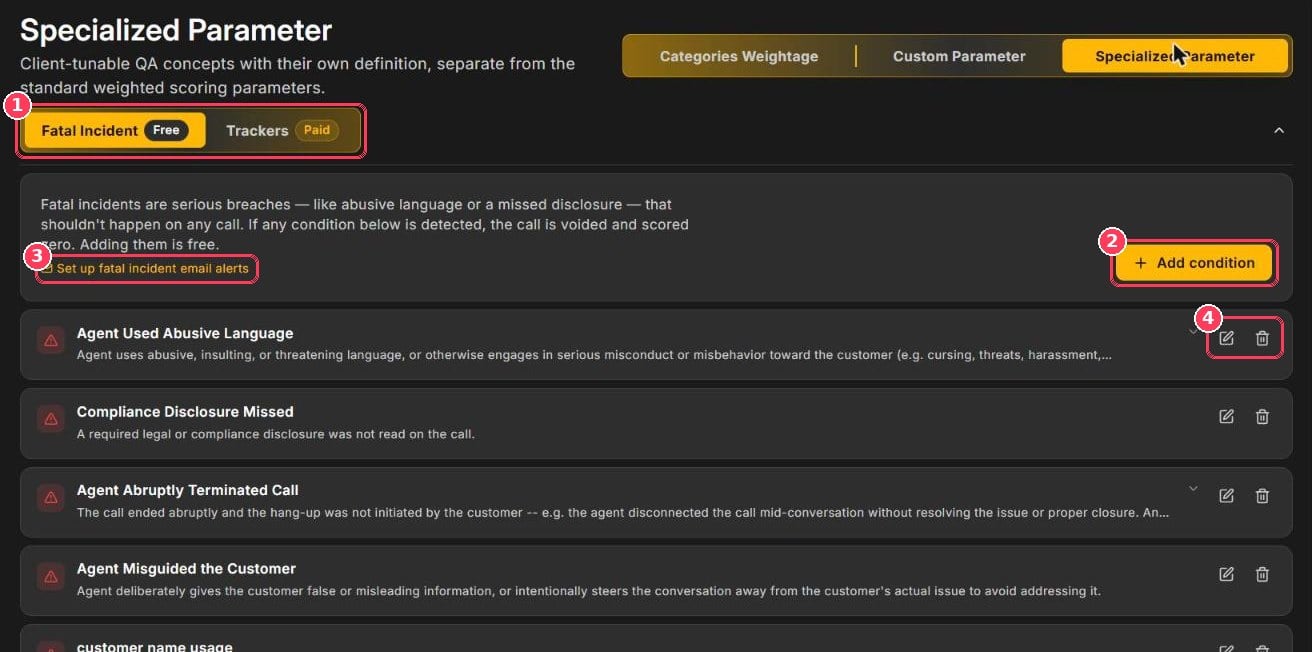
Fatal Incident tab
If any condition is detected on a call, Xperia voids the call and scores it zero. In Call Scoring the score shows Fatal Incident in red, and the Dashboard counts it under Fatal Incidents.
Example conditions
Add a condition
1
Click Add condition
A form opens above the list.
2
Name the condition
For example, Agent Used Abusive Language.
3
Describe what should trigger it
Be specific: Agent uses abusive, insulting, or inappropriate language.
4
Save
Click Add condition. It applies to calls scored from now on.
Trackers
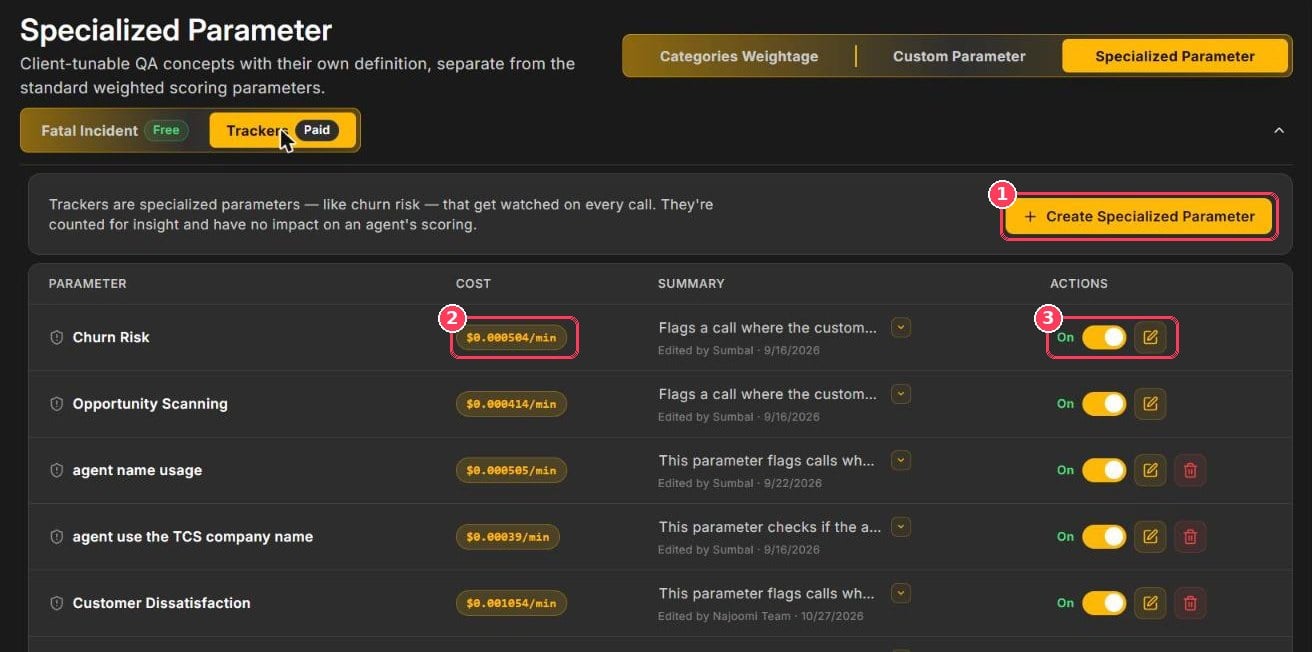
Trackers tab
The Summary column shows what each tracker looks for and who last edited it.
Create a tracker
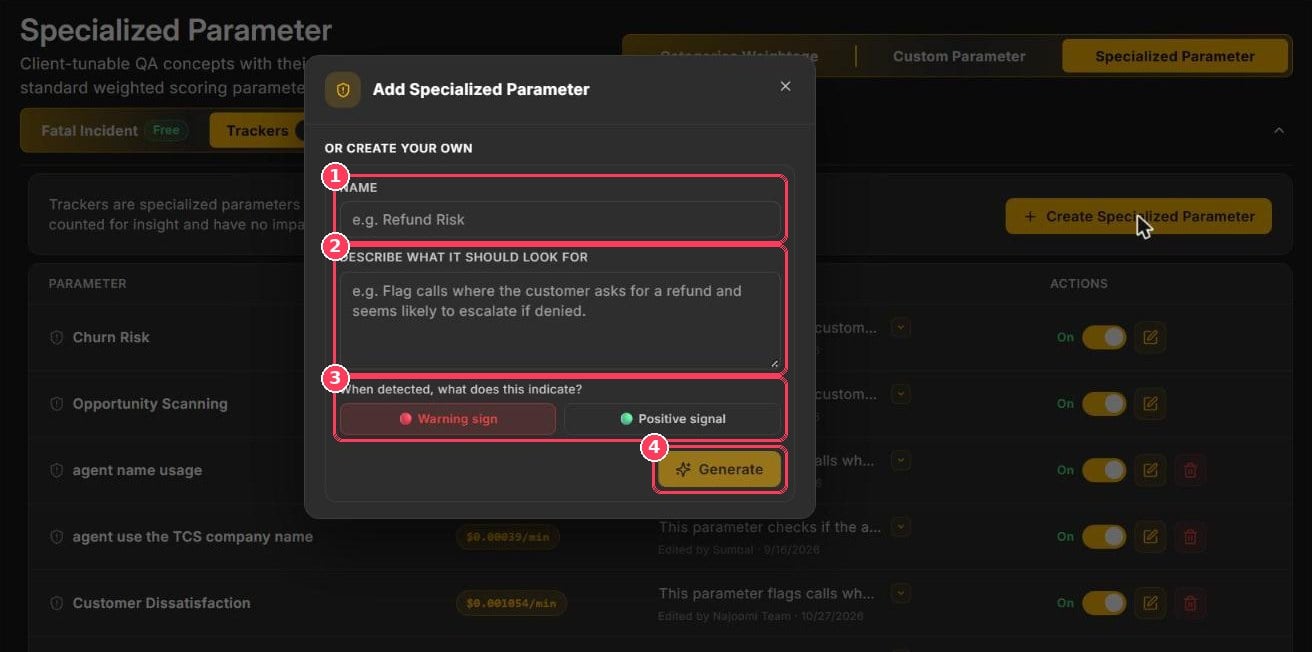
Add Specialized Parameter dialog
Where tracker results appear
- Call reports — matched trackers appear as tags under Call Details.
- Dashboard → Specialized Parameters — flagged vs. total calls; click a bar or View calls to see them.
- Call Scoring → Filters — filter by Specialized Parameter.
- Bulk Download — export only calls flagged by a tracker.